
-
Open Chrome or Edge on your device. Navigate to your designated Keyek website.
-
Switch on your Keyek Card: Press the power button on the top left edge of the Keyek Card. Wait a few seconds for it to complete the boot-up process. Once ready, it will display the ready screen.
-
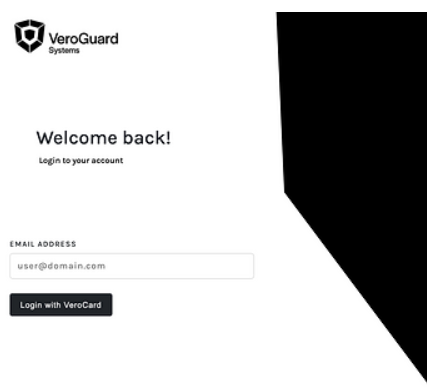
On the website Welcome Back login screen, in the EMAIL ADDRESS field, enter your registered email address.
-
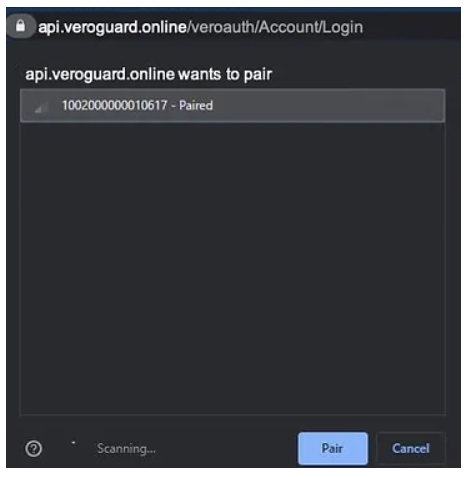
Click Login with Keyek Card button. The browser will display a dialog box with Bluetooth/BLE connections and available Keyek Cards to try to pair with.
-
If multiple cards are available, they will be listed.
-
Previously paired cards will display the status as Paired. For e.g., 1000000000000017 - Paired.
-
Go to the Keyek Card from the list you want to pair and click on your Keyek Card to highlight it. The Pair button will turn blue. Click Pair.
-
In the Keyek Card device, Enter PIN using the Keyek Card keypad and press green tick key. Upon successful validation, the Keyek Card displays the Success message, and you will successfully log in to the site.