
Register your Keyek Card to your "Sign in" account
This final setting requires the end user to login to their Microsoft account online and add the Keyek Card as a security device to their profile.
-
Browse to https://mysignins.microsoft.com and sign-in (if not already) with your Windows Username and Password.
You will be required to setup at least Azure AD Multi-Factor Authentication method (if you do not already have one) before you can register a FIDO2 security key.
-
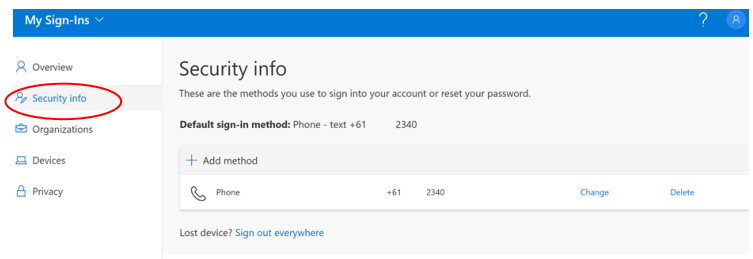
Click Security Info
If the user already has at least one Azure AD Multi-Factor Authentication method registered, they can immediately register a FIDO2 security key. If they do not have at least one Azure AD Multi-Factor Authentication method registered, they must add one.
-
To add a FIDO2 Security key, click Add method. The Add a method screen opens up.
-
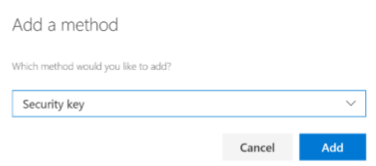
From the Which method would you like to add menu, choose Security key and click Add. The Security key window opens up.
-
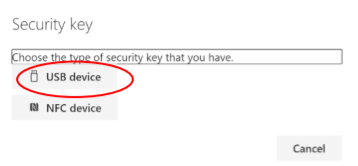
Click on Choose the type of security key that you have menu. From the drop-down choose USB device.
This will try both USB and Bluetooth BLE that supports Keyek Card.
-
Make sure your Keyek Card is turned on and ready and choose Next. The browser will connect with and register the device against your account.
-
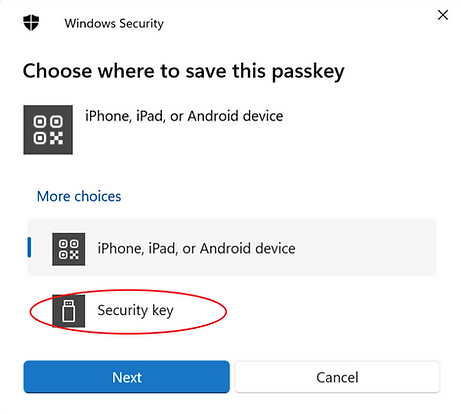
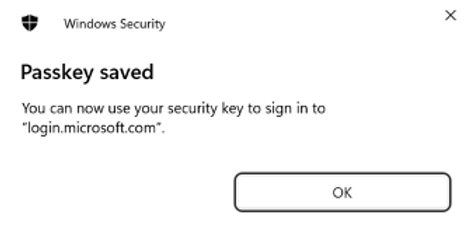
From the popup window "Choose where to save this passkey" click on Security key. Windows will then display 2 pop up messages for you to confirm - Click "Ok" on both.
-
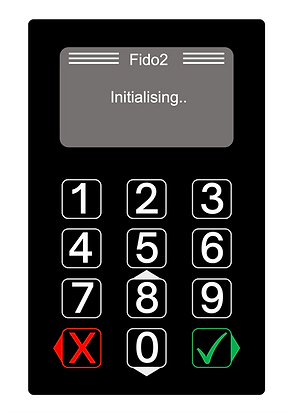
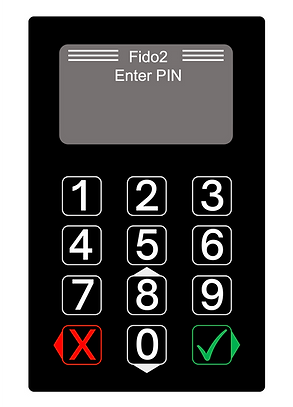
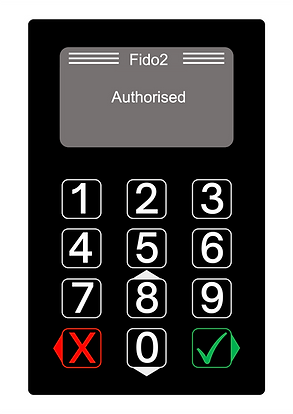
The PC will connect to the Keyek Card and a popup will say "Touch your Security Key" and as Keyek adds PIN verification to FIDO, the Keyek Card will display "Fido2 Initialising" and prompt you to "Enter PIN". Enter your PIN and press the Green Tick.
|
|
|
|---|
-
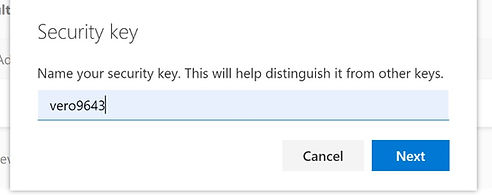
On success, the Keyek Card will display "Authorised, and the user will be returned to the combined registration experience and asked to provide a meaningful name for the key so the user can identify each if they have multiple.
-
Click Next.
-
Click Done and complete the process.
10. Your Keyek Card is now ready to use for login. Login to your Azure AD connect network Device.