
Activation resets the Keyek Card and is typically used in the following scenarios:
-
Handing Over to a New User: When a Keyek Card is given to a new user, activation resets the card and deletes any old credentials.
-
Technical Requirements: In rare cases, activation may be necessary for technical reasons.
Activation should be performed with caution, as it will erase all existing credentials.
-
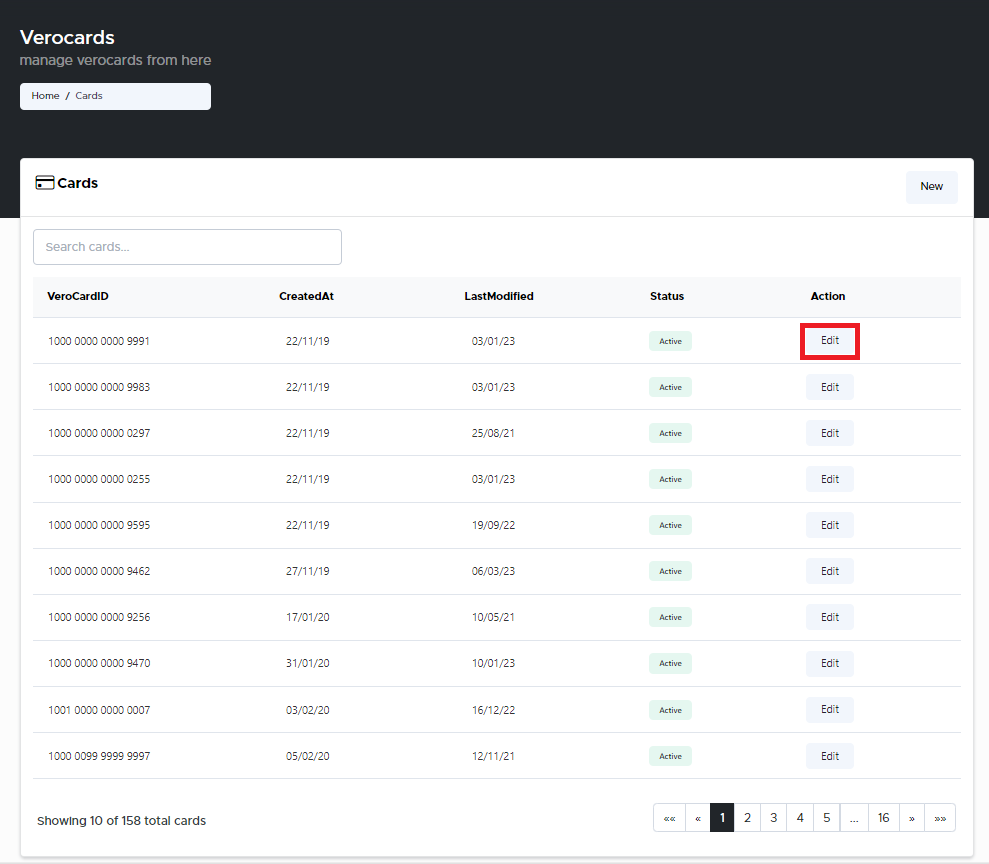
From the Home page, click on Keyek Cards to open the Keyek Cards - Manage Keyek Cards from here page displaying the list of existing cards.
or
In the Home page, go to the Users option from the left navigational pane and click on it. The Keyek Cards - Manage Keyek Cards from here page opens up displaying the list of existing cards.
-
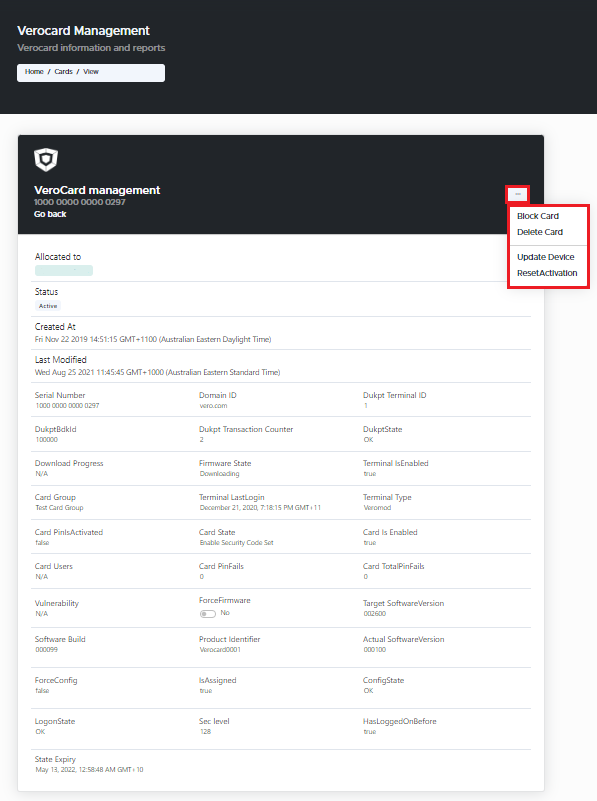
Navigate to the Keyek Card you wish to delete and click Edit. The Keyek Card management window pops-up.
-
Click the 3 dots on the top right corner of the window.
-
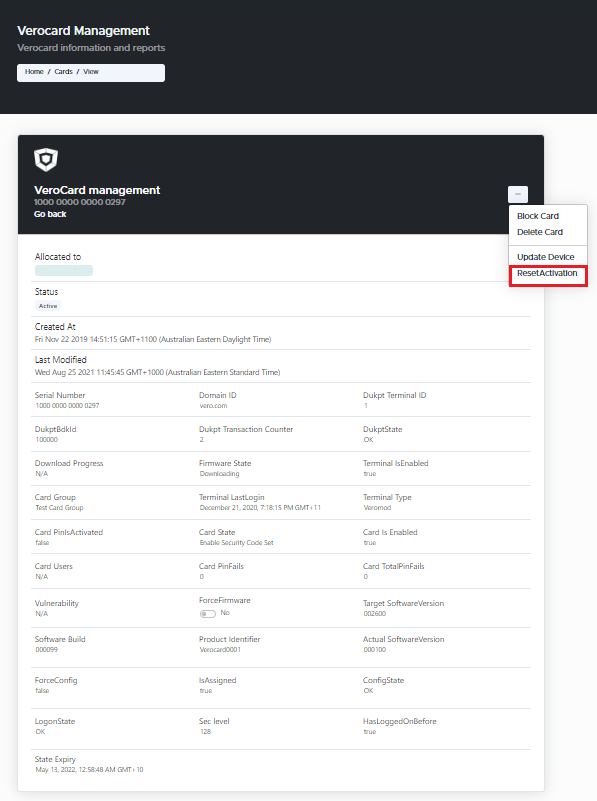
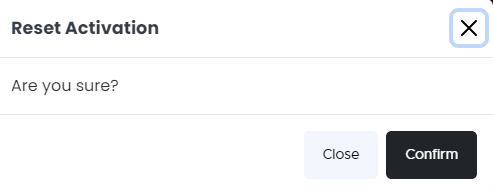
Select Reset Activation option from the drop-down. The Reset Activation window pops-up.
-
Click Confirm. Keyek Cards activation is successfully reset. Follow the activation process that best suits your environment.