
In the Keyek Card Admin portal, searching for a Keyek Card involves locating and managing Cards efficiently. You can find a Keyek Card by following these steps.
-
From the Home page, click on Keyek Cards to open the Keyek Cards - Manage Keyek Cards from here page displaying the list of existing Keyek Cards.
or
In the Home page, go to the Users option from the left navigational pane and click on it. The
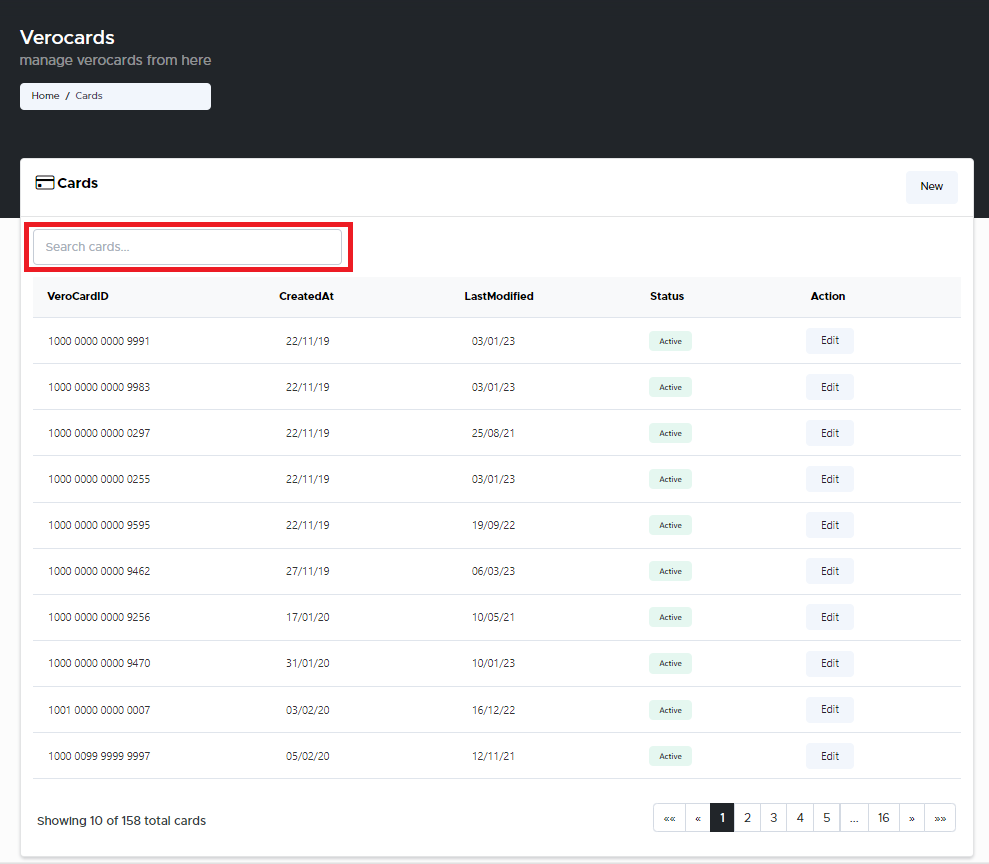
Keyek Cards - Manage Keyek Cards from here page opens up displaying the list of existing cards.
-
In the Search cards field, type the full Keyek Card ID Number and press Enter. The Keyek Card you searched for is displayed in the Cards page.
Type the full Keyek Card ID Number for a successful search.